You can get a 3D-printed object without ever opening CAD software. If what you have is a child's drawing, a pet photo, a logo or a character sketch, the shortest route is to upload the image to a service that builds the 3D model for you, approve a preview and have the print delivered. That is how we work at 3D Print Pics: you upload a picture, choose colors, see a 3D model preview, and only then finalize your order.
This guide explains what "no CAD" really means, which routes exist, and how to pick the one that fits what you want to make.
TL;DR
- CAD (computer-aided design) is software for drawing precise 3D shapes. You only need it when you are designing a functional part from scratch.
- For keepsakes, art, logos, pets and miniatures, an image is all you need. Our custom 3D models run $49.99 to $77.99, with optional rush processing for $10.
- You see a 3D preview and approve it before the order is final, so you are never guessing what arrives.
- Our prints are made in non-toxic PLA, with up to 7 color choices and custom size options.
Table of Contents
- What "no CAD" actually means
- Route 1: Download a ready-made model
- Route 2: Customize a parametric model in your browser
- Route 3: Convert an image yourself
- Route 4: Let us build the model from your image
- Which route fits which person
- Who uses no-CAD printing, and for what
- What it costs
- Order a print from your image
- Our perspective
- FAQ
- Sources
What "no CAD" actually means
CAD programs let you build a 3D shape by specifying dimensions, curves and edges. They are powerful, but they are built for engineers and product designers. A research team at the University of Nottingham and partner institutions, writing in the journal Design Science, attributes the barrier to three problems: CAD is not intuitive, its input devices interrupt creativity, and design changes are difficult. The same paper notes that commercial CAD packages average around $3,000 per year.
That is a lot of friction for someone who wants a 3D version of a crayon dinosaur. The good news is that a 3D print does not require you to be the person who builds the model. A printer needs a finished 3D file. Where that file comes from is up to you, and there are four common sources:
- A ready-made model someone else already designed.
- A browser-based customizer where you type in dimensions.
- A converter that turns a flat image into a raised relief.
- A service that builds the model from your image and prints it too.
Each suits a different goal. Let's go through them.
Route 1: Download a ready-made model
Free model libraries hold thousands of designs. Planet3DPrint's 2026 beginner guide points to MakerWorld, Printables and Thingiverse as places to find them. This works well for generic objects: a phone stand, a desk organizer, a standard dragon.
It does not work for anything personal. Nobody has already modeled your daughter's drawing of a purple cat or your terrier's exact ears. The Design Science study makes the same point: design repositories, despite holding over a million designs, are limited to designs that already exist.
And a downloaded file still has to be printed. That means owning a printer or finding one to use.
Route 2: Customize a parametric model in your browser
Some libraries now let you change a model without CAD. HowToGeek reports that parametric models on MakerWorld can be customized in a web browser: you enter dimensions for something like a screw, a post cap or a Gridfinity storage bin, and the site generates a fitted model.
This is a good fit for practical, measurable items. It is not a fit for a face, a drawing or a logo, because those have no dimensions to type in. The shape comes from the picture, not from a number.
Route 3: Convert an image yourself
Free converters exist that turn a simple drawing or logo into a raised relief, or a photo into a backlit panel. They can be fun to try, but the result depends on a clean source image, careful threshold settings and then slicing and printing on your own machine.
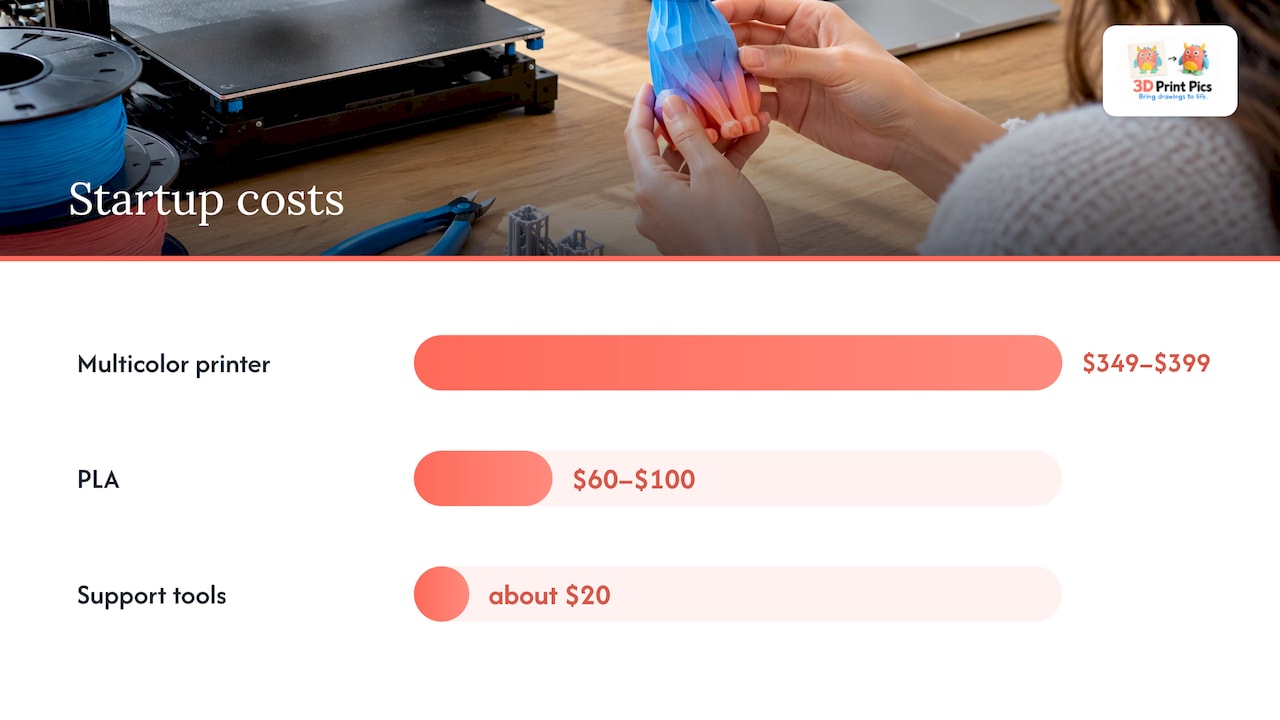
The starting budget matters too. Planet3DPrint puts a multicolor printer at $349 to $399, plus $60 to $100 of PLA to begin with and about $20 of tools for removing supports. That is before you have printed a single keepsake, and before any failed attempts.
For most parents, teachers and gift shoppers, the easier path is the next one.
Route 4: Let us build the model from your image
This is the route we built 3D Print Pics around. The steps are short:
- Upload your image. A child's drawing, pet photo, logo or character illustration all work.
- Choose colors. You can pick from up to 7 color choices.
- Review the 3D preview. Our AI generates the model so you can see it before you commit.
- Pick size and finish the order. Size and color are both customizable.
- Receive it at your door. Your print arrives ready to display.
There is no file to repair, no slicer to learn and no machine to buy. Our prints are made in non-toxic PLA, a plastic that is a common choice for keepsakes and classroom projects.
What image works best
A clear picture gives a clearer model. A few habits help whatever you are uploading:
- Photograph drawings in even light. Lay the paper flat and avoid shadows from your phone or hand.
- Keep the subject uncluttered. One main character or object reads better than a crowded scene.
- Use strong outlines and distinct colors. Bold marker lines on a child's drawing turn into clean edges.
- For pets, choose a sharp photo showing the face and ears. Side or three-quarter angles often capture personality.
- For logos, use the cleanest version you have. A vector or high-resolution file keeps edges crisp.
If you want to go deeper on a specific image type, our guides cover turning a drawing into a 3D model, taking line art to a print-ready 3D file without CAD, and three ways to turn a logo into a 3D model. Photo-based projects are explained in our photo to STL workflow article.
Which route fits which person
| You want | Best route | Why |
|---|---|---|
| A 3D version of your child's drawing | Upload to us | The shape comes from the artwork, not from a library |
| A memorial of your pet | Upload to us | Needs a likeness from a photo |
| A business mascot or logo piece | Upload to us | Your brand art is the source, and you preview it first |
| A classroom or PTA project from student art | Upload to us | Colors and sizes can be chosen to suit the project |
| A tabletop miniature of your own character | Upload to us | Your illustration becomes the model |
| A generic gadget or storage bin | Ready-made or parametric model | Standard shapes already exist |
| A bracket that fits something you own | CAD or a parametric tool | Needs exact measurements |
The last two rows are the cases where CAD or dimension-driven tools are the right tool. Everything else on this list starts from an image, and that is where we come in.
Who uses no-CAD printing, and for what
Parents and families
Children's art is flat, fragile and tends to disappear into a drawer. A 3D print turns a favorite drawing into something that stands on a shelf. Because you approve a preview, you can check that the little details the child cares about, like the extra-long tail or the crooked smile, made it into the model.
Pet owners
A pet photo can become a physical keepsake. Many people choose this as a remembrance or as a gift for someone who has lost a companion. Pick a photo that shows the face clearly and choose colors close to the animal's coat.
Teachers, PTAs and homeschool families
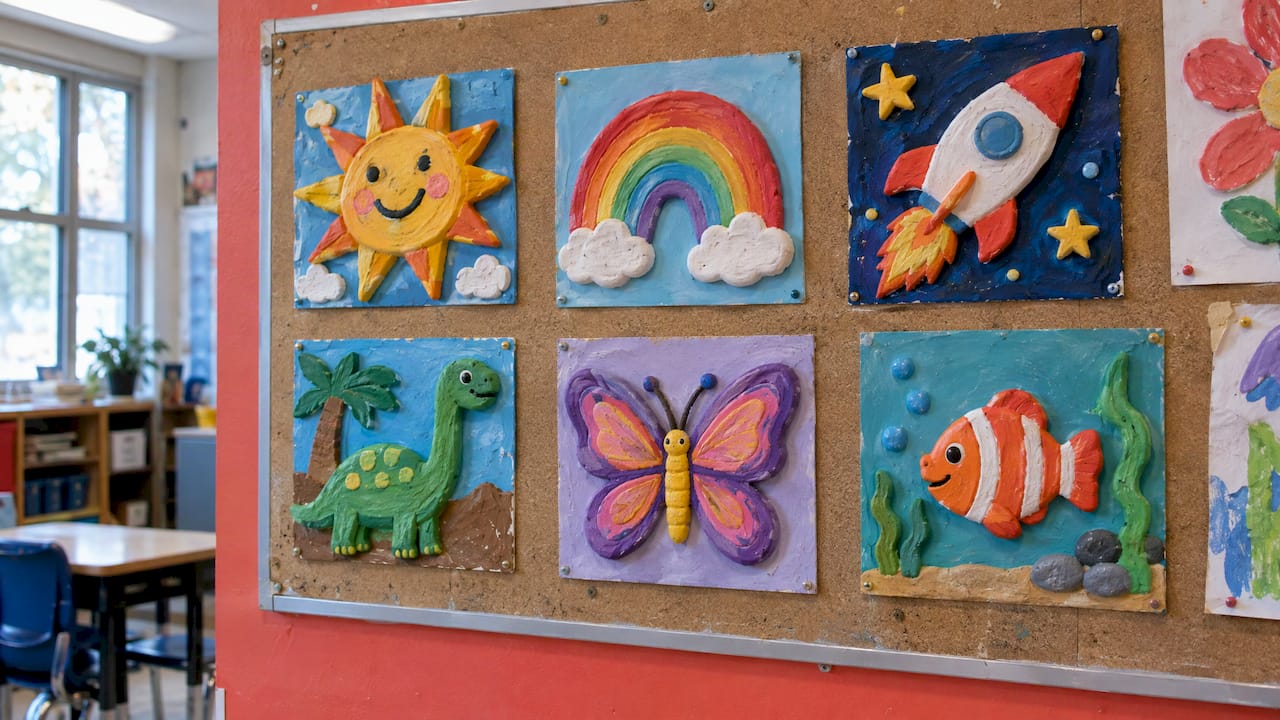
Student artwork makes a memorable classroom display, fundraiser item or end-of-year gift. Non-toxic PLA matters when objects will be handled by children. Our guide to 2.5D relief prints shows how flat art can gain depth, which suits wall displays.
Businesses
A logo or mascot sketch can become a desk object, a trade show giveaway or a lobby piece. If you plan to order several, our guide on ordering custom prints with your own model explains how to skip re-uploading.
Hobbyists and students
A character illustration can become a tabletop miniature. A student can bring a school-project concept into the room as a physical model. For relief-style pieces, see our look at bas relief 3D prints for hobbyists, and for retro game art, pixel art 3D prints.
What it costs
Our custom 3D models are priced from $49.99 to $77.99 as a one-off, depending on what you order. If you need it sooner, rush processing is $10 on top. For context on what small buyers typically pay across the market, see our breakdowns of photo 3D print costs and custom 3D print pricing for small buyers.
Compare that to the alternative of buying a printer and supplies, plus the hours spent learning the process. For a single gift or keepsake, ordering the finished piece is the simpler plan.
Order a print from your image
If you have a drawing, photo or logo ready, you can go from upload to preview in one sitting. Choose your colors and size, check the 3D preview, and finalize when you are happy with it. Add rush processing for $10 if you have a date to hit.

Start at 3D Print Pics with the image you already have.
Our perspective
Most people who search for "no CAD" are not trying to learn a new skill. They want an object. A parent has a drawing taped to the fridge, a pet owner has a photo on their phone, a small business has a logo. The skill barrier sits between the picture and the thing, and we think that barrier should be ours to handle, not yours.
That is why our process starts with an image and ends with a preview you approve. Our AI generates the model, you choose colors and size, and you decide whether it is right before we finalize the order. We designed the steps to be simple enough for families and organizations alike, with up to 7 color choices in non-toxic PLA.
Skip the weeks of learning curve and the equipment budget. Bring the picture, and let it become something you can hold.
Ian
FAQ
Do I need CAD to get a 3D print of a drawing?
No. With our service you upload the drawing, choose colors and review a 3D preview. We generate the model from your image using AI, so there is no design software for you to use.
Can I print a pet photo in 3D without any software?
Yes. Upload a clear photo, pick colors that match your pet and approve the preview before ordering. A sharp image showing the face and ears gives the best starting point.
Is the material safe for kids to handle?
Our prints are made from non-toxic PLA. They are keepsakes and display pieces, so keep them for display and play as you would any small decorative item.
How much does a custom 3D print cost?
Custom 3D models are $49.99 to $77.99 as a one-off. Rush processing is an extra $10 when you need your order sooner.
When would I actually need CAD?
CAD helps when you are designing a functional part with exact measurements, such as a replacement knob or a bracket that must fit something you own. For artwork, logos, pets and characters, an image is enough.
Sources
- Getting Started With 3D Printing in 2026: Beginner Guide, Planet3DPrint
- You don't need CAD skills to customize 3D models anymore, HowToGeek
- A generative-based design methodology to enable the democratisation of 3D printing, Design Science, Cambridge University Press