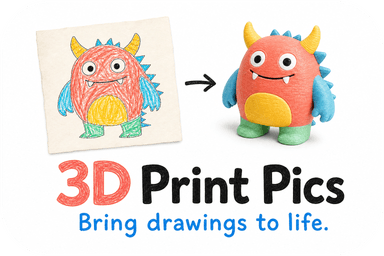
A photo or drawing becomes a physical keepsake through one path: upload the image, get an AI-assisted 3D model preview, approve or refine it, then print it in non-toxic PLA and ship it. 3D Print Pics runs that exact flow, from a child's crayon sketch to a pet portrait. The only real decision left in your hands is which output format fits your image, and that choice matters more than most people expect.
TL;DR:
- Most images, especially well-lit, high-contrast photos and flat drawings, produce better results when paired with the correct format for their content, such as lithophanes or relief tiles.
- Uploading clear, centered images with diffused lighting and minimal background improves the accuracy of AI-generated 3D models and reduces the need for revisions.
- Lithophanes are ideal for portraits and pets with strong contrast, while relief keepsakes suit line art and logos; full 3D figurines require more manual refinement and cost more.
- PLA remains a safe material for home printing due to its lower emissions, but proper ventilation and handling are advised, especially when printing at home.
- The preview and revision process helps ensure the final keepsake matches expectations, with options for rush processing and customization based on size, color, and complexity.
Table of Contents
- Which 3D Keepsake Format Fits Your Photo or Drawing?
- How Do You Prepare a Photo or Drawing for the Best Result?
- What Happens After You Order and See the Preview?
- Is PLA Safe for a Personalized Keepsake?
- How Do You Display or Gift a Finished 3D Keepsake?
- Should You Order This or Try It Yourself?
- Start Your Own Keepsake With 3D Print Pics
- Sources
- FAQ
Which 3D Keepsake Format Fits Your Photo or Drawing?
Not every image belongs in the same mold, literally. A flat crayon drawing and a sharp photo of your dog need completely different treatment to look right once they're plastic and sitting on a shelf.
The general rule: match the format to what the image actually contains. A child's drawing turned into a figurine works best as a raised-relief tile or an extruded keepsake, since bold outlines translate cleanly into raised plastic lines. A business logo or any flat graphic follows the same logic, extruded into a plaque, ornament, or bookmark. Portraits, pets, and landscape photos take a different route entirely: they become lithophanes, thin panels that hide a full grayscale image until light passes through them. Photos of three-dimensional objects, like a favorite mug or a toy, need full 3D reconstruction, which combines an AI draft with human cleanup to fix the parts a flat photo can't fully explain.
Here's how the formats stack up:
- Raised-relief tiles / extruded keepsakes: best for line art and logos, moderate detail, lower cost, prints well in nearly any solid color.
- Lithophanes: best for portraits, pets, and photos with strong contrast, prints in white PLA, needs backlighting to reveal the image, generally the most budget-friendly option for detailed images.
- Extruded logo plaques: best for flat graphics, minimal shading, fast turnaround, ideal for gifts or promotional pieces.
- Full 3D figurines: best for objects and scenes with real depth, higher cost, usually needs manual refinement since a single photo can't show what's on the other side.
Figurines are the format most likely to disappoint someone expecting a flawless replica straight out of the gate. A single photo only shows one angle, so the software has to guess at everything behind it. That's fine for stylized keepsakes, but if you want a precise likeness, budget extra time for revisions and don't expect it to be the cheapest option on the list.
How Do You Prepare a Photo or Drawing for the Best Result?
The image you upload does most of the heavy lifting. A blurry, poorly lit photo forces the model-generation process to guess at details it can't see, and guesses show up as odd bumps, flattened features, or lost texture in the final print.
Run through this before you upload anything:
- Shoot in even, diffused light. Skip direct sun or a single overhead bulb, both of which throw hard shadows across faces and fur.
- Fill the frame with your subject. Leave minimal background so the model isn't wasting resolution on empty space.
- Keep the camera steady and let it focus properly. Motion blur is the number one killer of fine detail in a lithophane.
- Shoot against a plain, neutral background. Busy patterns behind a pet or a person confuse the depth-mapping step.
- Boost contrast where you can. High contrast between subject and background controls most of the final print quality in lithophane work specifically.
For drawings, photograph them flat and straight on. A camera tilted even slightly introduces perspective skew that warps proportions once the drawing gets converted into a raised surface. If the sketch is done in pencil or has faded colors, jot down what colors you'd actually want in the finished piece, since the preview stage is where you specify that.
On file format: both JPG and PNG work fine. Higher resolution photos give the model more to work with, and cropping to roughly the aspect ratio you want printed (square for a coaster, portrait for a wall tile) saves a revision round later.
Pro Tip: Take the photo of your drawing outdoors on an overcast day. Natural, indirect light shows true colors without the yellow cast of indoor bulbs, and it's the single easiest fix for a muddy-looking preview.
What Happens After You Order and See the Preview?
The order process follows a predictable rhythm, and knowing the steps ahead of time keeps you from second-guessing a normal part of the process.
- You upload your photo or drawing and pick size, color, and format.
- An AI-assisted step generates a first-draft 3D model from the image.
- Where needed, human finishing cleans up that draft, since AI drafts often need adjustments like thickening fragile limbs, filling gaps, or correcting proportions a flat photo couldn't fully capture.
- You receive a rendered preview and can request changes before anything gets printed.
- Once you approve the model, it goes to the printer and ships.
Common revision requests include thickening a thin tail or arm so it survives shipping, adjusting a face to look more like the original photo, or adding a flat base so a figurine actually stands up. Before you approve, check wall thickness on thin parts, confirm whether a base is included, and make sure your color picks map correctly to the filament options offered.
Cost and turnaround depend mostly on size, how many colors you choose, and overall complexity. Anyone in a hurry, a birthday tomorrow, a gift you forgot about, can pay for rush processing to skip the queue.
Is PLA Safe for a Personalized Keepsake?
PLA is the material most consumer 3D-printed keepsakes use, and for good reason: it prints at lower nozzle temperatures than alternatives like ABS, and peer-reviewed research on desktop printer emissions links lower nozzle temperature to fewer ultrafine particles and lower VOC output. That's a meaningful difference if you're printing at home rather than ordering a finished piece.
Nozzle temperature is one of the biggest levers in how much a desktop 3D printer emits into the air. PLA's lower printing temperature, generally in the 190 to 220 degree Celsius range, is a big part of why it produces measurably less than higher-temperature filaments.
If you do print at home, NIOSH's guidance on 3D printer emissions recommends ventilation, filtration, and basic administrative controls like limiting time near a running printer. University environmental health guidance adds a practical point: check the safety data sheet for your specific filament, since color and brand additives can shift emissions even within PLA. Skip DIY resin printing for children's keepsakes unless someone trained in resin handling is running the process; uncured resin carries its own hazards that PLA doesn't.
Once a print is finished, wash your hands after handling it fresh off the bed, and consider a clear sealant on anything a toddler will chew on or handle daily.

How Do You Display or Gift a Finished 3D Keepsake?
A lithophane isn't finished until it has light behind it. A simple LED tea light or a dedicated lithophane frame brings a portrait or pet photo to life, and lamp-style curved lithophanes work well for a nightstand or a desk. Most portrait lithophanes look best somewhere between 4 and 6 inches tall, small enough for a shelf, large enough to hold real detail.
For plaques and figurines, a little finishing goes a long way:
- Light sanding smooths layer lines before painting.
- A matte sealer keeps color from looking overly glossy or plasticky.
- Hand-painted accents on a figurine's eyes or logo details add a level of polish molded color alone can't match.
- A small mounting base or stand turns a flat piece into something that can actually sit on a shelf.
For gifting, small touches make a bigger impression than you'd think: a built-in LED for a lithophane, an engraved name on a base, or simple gift packaging. If the occasion is tight on time, rush processing keeps the surprise on schedule.
Should You Order This or Try It Yourself?
Order from a service when you want a preview to approve before anything gets printed, consistent color matching, and a result you're confident giving as a gift. That preview step is the real quality control. It catches a warped face or a too-thin tail before it becomes a wasted print.
DIY or a local makerspace makes sense if you already own a printer, understand basic ventilation and material safety, and you're treating the project as a learning exercise rather than a one-shot gift. Low stakes and a willingness to reprint favor DIY. A gift with one shot to get right favors a service that lets you see it before you commit.
— Ian
Start Your Own Keepsake With 3D Print Pics
3D Print Pics turns the process described above into three clicks: upload your photo or drawing, review the AI-assisted 3D model preview, and approve it once it looks right. Every print uses non-toxic PLA, and you pick from up to seven color options before anything goes to the printer.

Whether it's a child's drawing turned into a figurine, a pet photo turned into a lithophane, or a company logo turned into a plaque for the office, the workflow stays the same: preview first, print second, nothing goes out the door until you say yes. Rush processing is available for an additional fee when you need it faster, and custom model pricing starts at amounts detailed on the company's website. Upload your photo and see your preview before you commit to anything.
Sources
- Characterization of emissions from consumer 3D printers
- NIOSH report on 3D printing emissions and controls
- 3D printers focus sheet — UW Environmental Health & Safety
- How to make a photo lithophane: complete 2026 guide
FAQ
Can Any Photo Be Turned Into a 3D Model?
Most photos work, but results depend heavily on lighting, contrast, and focus. A well-lit photo with a plain background and a subject filling the frame gives the model-generation process far more to work with than a dim or cluttered shot.
What's the Difference Between a Lithophane and a Figurine?
A lithophane is a thin, backlit panel that reveals a grayscale image through light, ideal for portraits and pets. A figurine is a solid, three-dimensional object viewed from any angle, which usually needs more human finishing since a flat photo can't show every side.
How Much Does a Custom 3D Print Cost?
3D Print Pics prices custom 3D models starting at $49.99, with additional fees for larger size or complexity, and offers rush processing for an additional fee. Color choices and overall detail level are the main factors that move the price within that range.
Is PLA Safe for a Keepsake Handled by Kids?
PLA is the material generally recommended for consumer keepsakes because it prints at lower temperatures and produces fewer emissions than materials like ABS during the printing process itself. Once a print is finished, cured, and cooled, wash hands after handling it fresh off the printer and consider a sealant for pieces that will get frequent handling.
What if I Don't Like the 3D Model Preview?
The preview step exists specifically so you can request changes before anything is printed. Common adjustments include thickening fragile parts, tweaking facial features, or adding a stand, and you approve the final version before it goes to production.