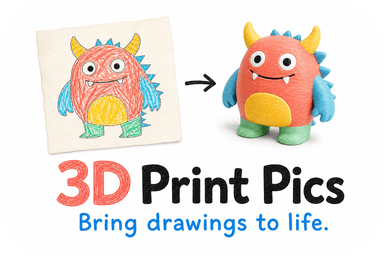
AI photo-to-3D is accurate in the way a keepsake needs: the model is built to look like your picture, and you can see it before it is made. It is not accurate in the way a ruler is. The AI infers a believable shape from what the photo shows, so the likeness is strong on what the camera saw and a sensible estimate everywhere else. For a child's drawing, a pet, a mascot or a miniature, that is exactly the job. At 3D Print Pics you upload a picture, choose colors and review a 3D model preview before you finalize the order, so you judge the likeness yourself first.
TL;DR
- AI photo-to-3D builds a model that looks like your image. It does not measure the real object, so treat it as a likeness, not a blueprint.
- Whatever the camera did not see (the back, the underside, hidden parts) is inferred from patterns the AI learned, so a clear, front-facing photo gives the best result.
- Fine details such as thin lines, small text, whiskers and fur are the hardest to carry over, so simple, high-contrast images translate most reliably.
- A preview is the real accuracy check for a keepsake: compare it with your original before you approve.
- Our custom 3D models run $49.99 to $77.99, with up to 7 color choices in non-toxic PLA.
Table of Contents
- What "accuracy" means for a photo-to-3D model
- How AI turns one photo into a shape
- What carries over well, and what takes care
- Choose the photo that gives the AI the least to guess
- More views help, but one good photo is a fine start
- Is an AI model ready to print?
- How to judge a preview before you approve it
- Who gets the most from the accuracy that AI offers
- Order a previewed 3D keepsake
- Our perspective
- FAQ
- Sources
What "accuracy" means for a photo-to-3D model
The word hides three different jobs. Runway's technical team separates them this way: AI image-to-3D generation makes something that looks like the photo, photogrammetry reconstructs from measurements, and CAD builds to exact specifications. The same file can be fine for one purpose and wrong for another. A generated model of a pipe fitting can look identical to the real part and still not have a hole exactly 25 mm wide, which is why it does not suit engineering or replacement parts.
Your use is different. A framed-style figurine of your daughter's dragon drawing, a desk mascot of your dog or a logo for the office shelf needs to be recognizable, charming and well finished. It does not need to match a tolerance. So the useful questions are:
- Does the shape read as the thing in my picture?
- Are the colors and key features where they should be?
- Will it hold together as a physical object?
The rest of this article is about how to get a yes on all three.
How AI turns one photo into a shape
A single photo has no information about surfaces it cannot see. The AI reconstructs a plausible shape from what it sees plus learned patterns, filling in geometry rather than pixels. Think of an artist who has seen thousands of dogs and is asked to sculpt the back of yours from a front-on snapshot.
The speed is real. Adobe Research's LRM model, a transformer trained on around 1 million objects, can predict a 3D model from a single image in under 5 seconds on one A100 GPU. That is why a preview can appear quickly instead of after days of manual sculpting.
The same paper is candid about what is inferred: textures on hidden regions can come out blurry because the problem is inherently probabilistic, and shapes can look distorted when the assumed camera angle does not match the real one. Both points lead to the same practical advice: give the AI a straightforward view and the guesses stay small.
What carries over well, and what takes care
Researchers measure this directly. A 2026 museum-artifact study found that one leading model approximates global shape but shows higher local deviations, and that complex or hidden structures were harder to infer. In plain terms, overall silhouette is the strong suit, and small intricate parts are where results vary.
The MVGBench benchmark points the same way. It found that objects with fine structures or textures, such as bicycles, flowers and text, were the most challenging inputs, and that some methods react to dark or strong lighting. Shiny surfaces are also tricky: the LRM authors note that view-dependent materials like glossy ceramics and shiny metals are hard to reconstruct, and a study of 3D mesh generation found every approach struggled with high reflection.
Here is what that means for the subjects our customers bring:
| Subject | What tends to translate well | What deserves a careful look in the preview |
|---|---|---|
| Child's drawing | Bold outlines, flat color areas, a clear central character | Hairline pencil strokes and tiny scribbled details |
| Pet photo | Head shape, ear position, overall pose and coloring | Whiskers and individual fur strands |
| Business logo or mascot | Clean shapes with strong contrast | Very small lettering |
| Tabletop miniature art | A single character with a clear silhouette | Thin accessories such as weapons or capes |
| School project subject | Simple, single-object images | Busy backgrounds with several objects |
If your subject has tiny parts, you are not stuck. You choose the size, and the preview shows how the details land before you commit. Our guide to how much detail to expect from image quality goes deeper, and the guide to pet fur detail in 3D prints shows what prints well for animals.
Choose the photo that gives the AI the least to guess
The Magic123 paper adds a useful caution: it assumes a front-view reference image, and a top-down photo of a dish made it generate the dish's bottom and the table instead of the dish. The lesson for families is simple: the angle you shoot is the angle the AI believes in.
A checklist for any photo or scan of artwork:
- Shoot straight on. For a pet, get down to eye level. For a drawing, hold the camera directly above the page, not at a slant.
- Fill the frame with the subject. Crop out the rest of the table, the other toys, the hands holding the paper.
- Use even, soft light. Strong shadows and very dark rooms confuse the shape, which fits the lighting sensitivity found in benchmarks.
- Keep the background plain. One subject, one background. The LRM authors note that background handling is a known weak point for these models.
- Pick the sharpest image you have. A crisp photo with distinct edges beats a larger blurry one.
- Avoid glare. A glossy mug or a laminated drawing can reflect the flash. Turn off the flash and shift the angle.
We cover this in more depth in our photo requirements for 3D printing, and for artwork specifically in turning a drawing into a 3D model. If your image is simple line art or a logo, the guide on choosing SVG or AI line art explains which file format gives a cleaner result.
More views help, but one good photo is a fine start
Research shows how much extra angles can add. The ReLi3D paper reports that supplying just four views improves Chamfer Distance by 27% and pushes F-score@0.5 to 0.993 versus single-view, with gains leveling off beyond four to eight views. Chamfer Distance and F-score are two ways researchers measure how closely a generated shape matches a reference. The takeaway: the hidden sides become less of a guess the more angles the system gets.

For a keepsake, you do not need to chase that. A single, well-chosen photo is the starting point, and our no-scan figurine guide shows how one picture becomes a previewed figurine. If you are curious whether a physical scan would do better for your subject, photo vs 3D scan compares the routes.
Is an AI model ready to print?
A good-looking model on screen still has to survive the printer. Runway's use-case table rates 3D printing as workable, but notes that a first result often has holes, non-manifold edges or paper-thin sections that need repair before it will slice cleanly. "Non-manifold" means the surface has gaps or edges that do not form a closed solid, which a printer cannot interpret.
The physical side matters too. Researchers behind SNAP3D point out that visually complete parts are not enough for fabrication: neighboring parts can interpenetrate, lack valid connections or collapse under gravity. A figurine with a thin arm or an unsupported tail needs real structure, not just a convincing look.
This is where ordering from a service rather than running a raw model yourself pays off. You get a previewed model and a finished print delivered to your door, instead of a file to repair, slice and troubleshoot. If you are a hobbyist who does want to handle the file side, our mesh repair workflow explains the checks that reduce failed prints. For the broader question of when AI makes sense versus sculpting by hand, see AI vs manual 3D modeling.

How to judge a preview before you approve it
Here is a surprising finding: automated checks are poor at telling whether a generated mesh is good. A 2026 protocol study found that geometry validity was only a weak quality signal, and render-based CLIP scores were at chance level, while independent vision-language judges agreed with each other on 0.83 of 120 mesh pairs. In other words, looking at the model with a trained eye is still the most reliable test, and you are well qualified: you know your child's drawing or your dog's face better than any metric.
When the preview arrives, hold your original beside it and check in this order:
- Silhouette. Squint. Do the two outlines match? This is the most important test and the one the AI does best.
- Signature features. The dragon's three spikes, the crooked ear, the logo's rounded corner. Are they present and in the right place?
- Colors. Check each region against your picture. You can choose up to 7 colors, so confirm the palette is what you want.
- Proportions. Is the head too big or small relative to the body compared with the original?
- Thin parts. Look at tails, antennas, handles and text. If something looks spindly in the preview, it will be delicate in your hands too.
- The back. Rotate the model. The back is inferred, so this is the part to enjoy as a pleasant surprise or to flag if it looks off.
If the preview looks right, approve it. Our walkthrough, how the AI 3D preview works and what to check, covers this step in more detail.
Who gets the most from the accuracy that AI offers
Parents and teachers. Children's art is often bold and simple, which suits the strengths described above: strong shapes and clear color. Classroom and PTA projects can turn a whole class's drawings into a shelf of figures.
Pet owners. The overall head shape, ear set and coloring make a pet recognizable. Choose the photo where your pet looks straight at the camera in even light.
Businesses. A logo or mascot with clean shapes and high contrast prints as a crisp desk piece or giveaway. Keep small lettering large enough to read at the size you choose.
Hobbyists. A single character illustration with a clear silhouette makes a good tabletop miniature. Pick the size to match how much detail you want to see.
Gift shoppers. Choose an image with a strong main subject, and use the preview to confirm the result before it ships. If timing is tight, rush processing is available for $10.
Order a previewed 3D keepsake
If you want the AI to do the heavy lifting and still keep the final say, our custom 3D models start with your upload. You pick colors, review the 3D preview, and finalize only when it looks right. Prints are made in non-toxic PLA, with size and color options, and delivered to your door.
Pricing for custom 3D models is $49.99 to $77.99, and rush processing is an extra $10. You can start at 3D Print Pics.

Our perspective
We built 3D Print Pics around one idea: the most meaningful things people want to keep are often flat. A drawing on the fridge, a snapshot of a dog, a logo on a slide. Turning them into something you can hold should not require learning modeling software.
That is why we think about accuracy as likeness. The AI generates a model from what you give it, and you review a preview and choose colors before the order is final. The decision stays with you, the person who knows what the original is supposed to look like.
Our advice is the same to every parent, teacher and gift shopper: start with a clear, front-facing image, keep the background simple, and use the preview as your check. With up to 7 color choices in non-toxic PLA and a simple step-by-step ordering process, the goal is a keepsake you are glad to put on the shelf.
Ian
FAQ
Can AI turn a photo into a 3D model?
Yes. The AI studies the photo and builds a shape that looks like it, inferring the parts the camera could not see. Research systems can do this from a single image in under 5 seconds on a high-end GPU. A clear, front-facing photo gives the best starting point.
Will the 3D model match my photo exactly?
It will match the look, especially the overall shape and colors, rather than exact measurements. The sides the camera did not see are inferred, so the back may differ from the real thing in small ways. The preview lets you compare against your original before anything is made.
What kind of picture works best?
A sharp, evenly lit image with one subject, a plain background and a straight-on view. Bold shapes and strong contrast, such as a child's marker drawing or a clean logo, translate especially well. Our photo requirements guide has the full list.
Can the model be used for engineering or exact replacement parts?
No, and it is not meant to be. AI generation is built to look like the image, while measured reconstruction and CAD serve exact dimensions. Keepsakes, figurines, mascots and miniatures are the right fit.
Sources
- Runway: How to turn an image into a 3D model
- LRM: Large Reconstruction Model for Single Image to 3D
- Evaluating Generative AI for Museum Artifacts Documentation (ISPRS Archives, 2026)
- MVGBench: a Comprehensive Benchmark for Multi-view Generation Models
- The Accuracy of 3D Mesh Generation of Neuralangelo Versus Photogrammetry and LiDAR Technology
- Magic123: One Image to High-Quality 3D Object Generation
- ReLi3D: Relightable Multi-view 3D Reconstruction
- SNAP3D: Physically Grounded 3D Parts for Assembly
- A Cross-Model VLM-Judge Protocol for Single-Image 3D Mesh Evaluation