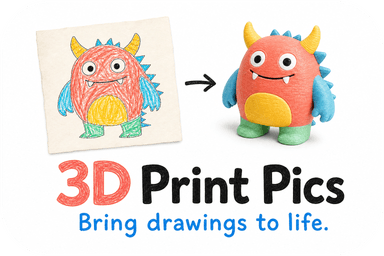
Yes, you can turn a photo or drawing into a printable 3D figurine without ever visiting a scanning studio. AI-based single-image reconstruction estimates the object's shape from one picture, builds a printable mesh, and shows you a preview to approve before anything goes to the printer. It works best on well-defined, solid subjects like pets, people, or simple logos. Complex or translucent features sometimes need a manual touch-up after the AI pass.
TL;DR:
- Single-image reconstruction works best with well-lit, high-contrast photos that have clear contours and minimal background clutter.
- Complex or translucent features often require manual touch-ups after AI modeling, especially if they involve internal details or hidden sides.
- The AI generates a 3D model by first estimating the shape based on shading and outlines, then converting it into a solid mesh, with a preview step to catch errors.
- Non-toxic PLA is the standard material, providing fine detail, paintability, and safety, but should be kept away from heat to prevent softening.
- Uploading multiple angles enhances accuracy, especially for pets or objects with hidden sides, and a review process ensures the final print matches expectations.
Table of Contents
- How does AI turn one photo into a printable 3D model?
- What kinds of photos and artwork produce the best figurines?
- What happens between uploading a photo and receiving your figurine?
- What materials keep a keepsake figurine safe and durable?
- What can single-image AI get wrong, and how do you fix it?
- What should you check before uploading your image?
- What finishing touches can you add after the 3D model prints?
- How do no-scan figurine services compare to each other?
- What should you expect to pay, and how long does it take?
- Which figurine ideas work best, and when should you look elsewhere?
- How to order your figurine from 3D Print Pics
- Sources
- FAQ
How does AI turn one photo into a printable 3D model?
Most no-scan pipelines work in two stages. First, the AI estimates a rough shape, often as a point cloud or a compressed shape code, based purely on what it can see in your photo. Then a meshing stage turns that rough shape into a solid, watertight surface that a 3D printer can actually build layer by layer. This two-step process, described in the SPAR3D research from CVPR 2025, separates the uncertain part of the job (guessing the shape) from the more mechanical part (fixing the geometry so it prints cleanly).
Reconstructing an object from a single image is what researchers call an ill-posed problem: one flat photo simply does not contain enough information to know for certain what the back of an object looks like. The AI fills the gaps using learned patterns from similar shapes it has seen before, combined with cues in your photo like shading and outline.
- Shape estimation reads shading and contours to infer depth and volume.
- Meshing converts that estimate into a solid, printable surface.
- Cleanup steps check for thin walls or gaps before the file goes to the printer.
Pro Tip: A sharper, better-lit photo gives the AI cleaner shading cues to work from, which usually means fewer surprises in your preview.
What kinds of photos and artwork produce the best figurines?
Image quality drives model quality more than any other factor. Research on single-image 3D generation found that shading and clear contours matter more than fine texture detail for getting the geometry right, a finding confirmed by Cue3D's analysis of image cues presented at NeurIPS 2025. A photo with soft, even shading and a clean silhouette will almost always outperform a flat, harshly lit snapshot, even if the flat photo has more visible detail.
- Choose a single-object photo with a neutral background and no clutter behind the subject.
- Shoot in soft, even light so the AI can read the object's curves through shading.
- For children's drawings, scan or photograph with high contrast and crisp, unsmudged lines.
- Note any fill colors you want preserved, since line drawings alone won't specify color.
- Submit multiple angles when you have them, since one photo alone leaves the back of the object to inference.
Even shading and a clear silhouette do more for geometric accuracy than sharp texture detail, according to Cue3D's cue-importance study. That means a slightly blurry photo with good lighting can outperform a crisp photo shot in flat, shadowless light.
What happens between uploading a photo and receiving your figurine?
The ordering process follows a straightforward loop built around one safeguard: you see the model before you commit to printing it.
- Upload a photo, drawing, or logo file, then pick a size and one of the available color options.
- Review a rotatable 3D model preview that shows exactly what will be printed.
- Request changes or approve the design once it matches what you pictured.
- Choose standard processing or pay for rush processing if you need it sooner.
- Receive your finished piece by delivery once printing and any manual cleanup are complete.
The preview step exists because AI shape estimation is a probabilistic guess, not a certainty. Letting you inspect and rotate the model before printing catches mismatches early, before material and time are spent on a piece you would not have approved. On more complex shapes, a person may step in to smooth a seam or thicken a fragile-looking section before the file goes to print.
What materials keep a keepsake figurine safe and durable?
Non-toxic PLA is the standard material for photo-to-figurine keepsakes because it holds fine detail well, takes paint and sanding easily, and is considered a safe, common choice for consumer 3D printing, a point echoed in 3D Print Pics' own service description. It is also more forgiving to finish than resin-based alternatives, which matters if you want to hand-paint a pet figurine or a child's drawing brought to life.
- PLA prints hold detail well and accept paint, primer, or a light sanding pass.
- Size and color choices are set before printing, with post-processing available afterward for a custom look.
- PLA is a widely used, low-odor material suitable for display pieces handled by children or kept near pets.
Keep finished pieces out of direct heat or hot cars, since PLA softens at lower temperatures than some other plastics.
What can single-image AI get wrong, and how do you fix it?
The biggest limitation of any single-photo model is that the AI cannot see what your photo does not show. A profile shot of a dog leaves the far side of its face and body entirely up to inference, and the model will fill that gap with a plausible guess rather than the truth. Research surveys on single-view reconstruction note that this approach works best on simpler, more symmetric objects and leans on learned priors rather than direct observation for anything hidden, a limitation the single-view reconstruction survey lays out in detail.
- Occluded or hidden sides may be reconstructed inaccurately since the AI is inferring, not measuring.
- Transparent or translucent materials, very fine filigree, and complex internal structures are hard for any single-image model to capture.
- Extremely intricate textures may be simplified in the final print even when the shape is accurate.
Pro Tip: If your subject has an unusual back, side, or interior detail you care about, submit a second photo from that angle. It gives the AI real information instead of a guess.
When a design has too many hidden or intricate features to reconstruct reliably from photos, a traditional 3D scan of the physical object remains the more accurate route, though it requires access to the object itself.
What should you check before uploading your image?
A few minutes of prep before you upload noticeably improves your odds of a clean first preview.
- Use a JPEG or PNG file with enough resolution that the subject's outline and shading are crisp, not pixelated.
- Shoot or scan in even lighting, avoiding harsh shadows or blown-out highlights.
- Crop tightly around your subject so the background does not confuse the AI's silhouette detection.
- For drawings, photograph flat and straight-on, then attach a note or swatch if a specific fill color matters.
- If you have more than one angle of the same subject, upload all of them together.
Save this checklist as a quick reference, or screenshot it before you start gathering your photos.
What finishing touches can you add after the 3D model prints?
The initial print is rarely the last step for buyers who want a more finished keepsake. Because PLA sands and paints easily, many customers add a light coat of primer followed by hand-painted color, especially for pet portraits or character figurines where subtle color blending matters more than the base print colors can capture. A light sanding pass on visible seams also smooths out the fine ridges that come from layer-by-layer printing, giving the piece a more polished, gallery-ready look.

Size is another lever you control after seeing the preview, since scaling up a figurine for a mantel display or down for a keychain-sized keepsake changes both the price and the level of visible detail. Color choice happens earlier in the process, typically from a set list of PLA color options, but customers can still request a different color for a re-order or a matching set, such as a family of pet figurines in complementary tones.
For business use, logos benefit from a matte or glossy finish choice depending on whether the piece will sit on a desk or serve as a trade-show giveaway. Mounting options, such as a small base or plaque, turn a standalone figurine into something closer to an award or a display piece, which matters for teams ordering multiples of the same design.
How do no-scan figurine services compare to each other?
Not every online figurine service works the same way, and the differences matter more than they first appear. Some platforms lean on multi-photo photogrammetry, stitching together a dozen or more smartphone images taken from different angles to reconstruct a shape with more geometric certainty than a single photo allows. This method trades convenience for accuracy: it demands more effort from the customer but leaves less to AI inference.
Other services, including 3D Print Pics, focus on the single-image workflow: you upload one photo or drawing, the AI generates a model, and you approve a preview before printing. This route asks less of the customer upfront and suits people who only have one good photo to work with, such as a childhood drawing or an old pet photo where a second angle no longer exists.
A third category covers general-purpose 3D modeling software that requires you to sculpt or adjust the shape yourself, which produces highly accurate results but demands modeling skill most gift buyers do not have and do not want to learn. When you are comparing options, the real question is how much control and effort you want to put in versus how much you are willing to trust an AI preview and approval step to get you most of the way there.

What should you expect to pay, and how long does it take?
Custom 3D models from 3D Print Pics run from $49.99 to $77.99 depending on size and complexity, with rush processing available for an extra $10 when you need the order sooner. Pricing generally reflects size, detail level, and how much manual cleanup a design requires after the AI generates its initial model, since more complex geometry can mean more time spent fixing thin sections or smoothing seams before a file is ready to print.
Turnaround time depends on the standard queue versus the rush option, and on how much back-and-forth happens during the preview and approval stage. A straightforward pet portrait or logo that gets approved on the first preview moves through faster than a design that needs several rounds of adjustment. Building a little flexibility into your timeline, especially for gifts tied to a specific date, gives you room to review the preview carefully instead of rushing an approval you are not fully happy with.
Which figurine ideas work best, and when should you look elsewhere?
Children's drawings, pet portraits, and simple business logos are the strongest fits for this process, since they tend to be solid, well-defined subjects with a clear front view. I have seen how much a preview step matters here: it lets a parent catch a distorted ear or a business catch an off-center logo before it becomes a finished object. 3D Print Pics builds its process around that preview, non-toxic PLA, and a handful of color and size choices to keep the result close to what the customer pictured.
Small businesses using a logo as a promotional item tend to do well here, since flat, simple shapes reconstruct reliably. Anything with hidden interior detail is a better candidate for a different approach entirely.
— Ian
How to order your figurine from 3D Print Pics
Once you know what makes a good source photo, ordering is the easy part. You upload your image, choose a size, and pick from up to 7 color options in non-toxic PLA, then review a 3D model preview before anything goes to print.

- Upload a photo, drawing, or logo and get an AI-generated preview to review.
- Approve the model as shown, or request changes before printing starts.
- Add rush processing if you need your figurine sooner than the standard turnaround.
If you want to see what your own photo could become, start the process on the 3D Print Pics ordering page and review your free preview before you pay for anything.
Sources
The claims in this article draw on recent computer vision research into single-image 3D reconstruction. The SPAR3D paper explains the two-stage shape-then-mesh approach behind most modern pipelines. Cue3D quantifies why shading and contours matter more than texture. The MAGE paper covers how material-aware generation improves texture consistency, and the single-view reconstruction survey lays out the field's broader limitations and tradeoffs.
- Cue3D: Quantifying the Role of Image Cues in Single-Image 3D Generation (NeurIPS 2025)
- Single-View 3D Reconstruction: A Survey of deep learning methods (2023)
FAQ
What file types work best for a no-scan 3D figurine order?
Standard JPEG or PNG photos work well, along with high-contrast scans or photos of drawings. Higher resolution images give the AI cleaner shading and contour cues to work from, which improves the accuracy of your preview.
Can you combine multiple photos for one figurine?
Yes, submitting more than one angle of the same subject gives the AI real information instead of an inferred guess for hidden sides. This is especially useful for pets or people where the back or sides carry detail you want preserved.
How long does a custom 3D figurine order usually take?
Turnaround depends on the standard processing queue and how many rounds of preview and approval your design needs. Rush processing is available for $10 if you need your order sooner than the standard timeline.
Is PLA safe for a figurine that children or pets will be around?
Non-toxic PLA is a common, widely used material for consumer keepsakes and display pieces. It holds detail well and is considered a safe choice, though finished pieces should stay away from direct heat since PLA softens at relatively low temperatures.
What if the AI model gets part of the figurine wrong?
The preview step exists specifically to catch this before printing, so you can request changes to the design. Submitting an additional photo from the problem angle, such as the back or a hidden side, usually resolves inaccuracies caused by the AI inferring rather than seeing that part of the subject.