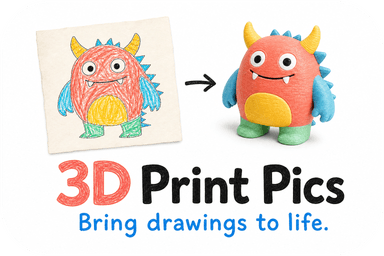
In this article, "QR code 3D sign" refers to a photo or logo transformed into a physical, three-dimensional keepsake or display piece, not a scannable code embedded in a printed object. Yes, you can turn a child's drawing, a pet photo, or a business logo into a tangible 3D print, and services like 3D Print Pics do exactly that using AI-generated previews and non-toxic PLA plastic. Your first move: check that you have the rights to the image, then prep a clean, high-resolution file.
TL;DR:
- Using high-resolution, high-contrast images and cropping busy backgrounds improves the accuracy and quality of the 3D printed keepsake.
- Confirm clear ownership or permission for the image or logo before placing an order to avoid copyright or trademark issues.
- PLA plastic is generally safe for display items at home, but emissions during printing require proper ventilation and handling precautions.
- Larger or multi-color prints increase production time and costs, with options for rush processing available for tighter deadlines.
- Verification of rights, preview reviews, and material safety information are essential steps before final approval and printing.
Table of Contents
- What Can You Actually Make With a Photo-to-3D Service?
- How Does the Photo-to-3D Process Actually Work?
- What File Format and Resolution Work Best?
- Is PLA Plastic Safe for Keepsakes and Home Printing?
- What Size, Finish, and Turnaround Should You Expect?
- What Should You Confirm Before Placing an Order?
- Why Physical Keepsakes From Photos Matter
- Ready to Turn Your Photo Into a 3D Keepsake?
- Where to Learn More About Permissions and Printing Safety
- Sources
- FAQ
What Can You Actually Make With a Photo-to-3D Service?
Before you upload anything, picture the finished object. Photo-to-3D printing works best when you match the source image to a realistic output format, not when you expect a flat picture to become a lifelike sculpture.
Popular projects include:
- Children's art keepsakes: crayon drawings or paintings turned into standing plaques parents display on a shelf.
- Pet photo memorials: a dog or cat's silhouette raised into a desk ornament or nightlight.
- Logo desk signs: a company mark extruded into a freestanding block for a reception counter or trade show table.
- Event table signs: names, monograms, or icons raised on a small base for weddings or conferences.
- Backlit lithophanes: grayscale photos converted into thin plaques that reveal tonal depth when lit from behind.
Logos and line art translate cleanly because the shapes are already simple. Detailed portraits and busy backgrounds lose fine texture in the conversion, so a favorite family photo usually works better as a lithophane than a fully sculpted bust. Most desk pieces run a few inches tall. larger display signs for a reception area or storefront can scale up, though added height means added print time and cost.
How Does the Photo-to-3D Process Actually Work?
The path from a picture on your phone to a plastic object on your desk follows a predictable sequence, and understanding it helps you avoid a disappointing first attempt.
- Upload your image. A photo, scanned drawing, or logo file goes into the platform.
- AI model generation. Software reads the image, maps depth or edges, and extrudes flat art into a 3D shape. Logos get raised outlines; photos often get converted into depth maps for lithophane-style relief.
- Preview review. You see a rendered model in your chosen colors and size before anything gets printed.
- Approval or revision. If the proportions look off or a detail got lost, you request changes here, not after printing.
- Print and ship. Once approved, the file goes to the printer and the finished piece ships to your door.
AI handles edge detection and depth mapping well on clean subjects but struggles with cluttered backgrounds, heavy shadows, or low-resolution scans. A blurry phone photo of a drawing taped to a wall will produce a blurry model. That is exactly why the preview step matters: it lets you catch a warped logo or a flattened face before it becomes a physical object instead of after.
Pro Tip: If your image has a busy background, crop tightly around the subject before uploading. A clean silhouette gives the AI far less to misinterpret.
What File Format and Resolution Work Best?
Good 3D output starts with a good source file, and this is where most first-time orders go wrong. For logos, use lossless formats like PNG or TIFF rather than compressed JPEGs, since compression artifacts turn clean edges into jagged noise once extruded. WIPO's image format standards recommend resolutions in the 200 to 600 dpi range for figurative marks, with 300 dpi as a safe target, and that guidance holds up well for 3D conversion too.
For photos meant to become lithophanes or relief plaques, aim for the highest resolution your camera or scanner can produce, and convert to grayscale with boosted contrast before uploading. That single step, recommended in lithophane printing guides, preserves the tonal range that gives backlit plaques their depth.

Before any of that, confirm you actually have the right to use the image. WIPO guidance on customization and copyright recommends that any print-on-demand order flow ask the uploader to confirm ownership or permission, since copyright and trademark rules shift depending on where the image was created and who made it.
Risky categories worth double-checking:
- School art projects where the school or a teacher may hold some rights to the final piece.
- Licensed characters from movies, games, or comics, even when a child drew the interpretation.
- Third-party logos you don't own, including a client's mark or a sports team emblem.
If you don't hold clear rights, your options are simple: get written permission, commission original artwork, or work with something already in the public domain.
Is PLA Plastic Safe for Keepsakes and Home Printing?
"Non-toxic PLA" generally means the plastic itself is made from plant-based material and does not contain the harsher additives found in some other filaments, which is why it's the common default for display keepsakes handled by kids and displayed in living spaces. That said, non-toxic material does not mean emission-free printing.

A 2023 peer-reviewed study on desktop 3D printers found that printing releases a complex mix of volatile organic compounds and ultrafine particles, and the amount varies by filament type, color, and printer settings. Separate research comparing filaments found that ABS tends to emit more and more varied VOCs than PLA, though PLA still isn't a zero-emission process during the active print.
Practical steps that make a real difference:
- Print in a ventilated room or workshop space rather than a closed bedroom.
- Use an enclosed printer or local air extraction when running long jobs.
- Keep kids away from the printer while it's actively running, not just after.
- Treat finished keepsakes as display pieces rather than chew toys or dishware unless a product is specifically certified for that use.
What Size, Finish, and Turnaround Should You Expect?
Size drives almost everything else about a 3D keepsake order, from the level of detail visible to how long production takes. A palm-sized desk gift holds decent detail at low cost. A larger reception sign or display piece captures more nuance in a logo or photo, but print time scales up with volume, and so does price.
- Single-color PLA is the fastest and least expensive finish, ideal for straightforward logos or simple silhouettes.
- Multi-color or hand-painted finishes add production steps and cost more, but suit portraits or logos with several distinct brand colors.
- Turnaround typically includes a preview and approval window followed by production time; rush processing is available for an added fee when you need something faster.
- Cost drivers include the physical size of the print, the number of colors or finishes requested, any manual cleanup of a messy source file, and whether you add rush processing.
What Should You Confirm Before Placing an Order?
Run through this checklist before you click "buy" on any photo-to-3D order, whether it's for a family gift or a business display piece.
- Confirm image rights. Make sure you own the photo, drawing, or logo, or have clear permission to use it.
- Ask for a preview. Never approve an order sight unseen. You should see color and size options rendered before production starts.
- Check the material guidance. Confirm the piece uses non-toxic PLA and is intended for display rather than mouth contact or heavy handling by young children.
- Verify turnaround time. Ask about standard production time and whether rush processing is available if you're working toward a deadline.
- Ask about mounting. If it's a logo sign for a desk or reception counter, confirm whether a stand or base is included.
Red flags to watch for: a provider that skips the preview step entirely, a vague or missing rights policy, or no clear statement about what the material is safe for.
Pro Tip: If you need a logo sign to stand upright on a counter, ask specifically whether a weighted base or slot mount is included. A flat logo print without a stand often ends up leaning against a wall instead of standing where you wanted it.
Why Physical Keepsakes From Photos Matter
A flat photo on a phone gets scrolled past. A 3D version of your kid's drawing sitting on a shelf gets picked up and looked at again. That's the real value of this category. Some services offer AI preview, upload, and color customization workflows that make ordering one of these low-risk, since you see the model before it prints, in non-toxic PLA. Case studies and specific customer outcomes for this article will be added as they become available.
— Ian
Ready to Turn Your Photo Into a 3D Keepsake?
3D Print Pics is built for exactly the situation this article walks through: you have a photo, a child's drawing, or a logo, and you want a physical version without hiring a designer or learning CAD software yourself. The process stays in your hands the whole way. Upload your image, preview it in your chosen colors, pick a size and finish, then approve before anything gets printed.

During the preview stage, you'll see a rendered model showing scale and color choices, so there are no surprises when the package arrives. If your source file needs manual cleanup, like a blurry logo or a messy background, that gets handled before production rather than after. Custom 3D models run $49.99 to $77.99 per order, with rush processing available for an extra $10 if you're working against a deadline. Start your order and upload your first image at 3dprintpics.
Where to Learn More About Permissions and Printing Safety
For legal depth on image and trademark permissions, WIPO's customization and copyright guidance covers why rights checks matter and how they vary by country. On the health side, the 2023 study on 3D printer emissions and research comparing filament toxicity profiles explain why ventilation matters even with PLA. Readers who want to attempt DIY lithophane conversion can find technical detail in Formlabs' lithophane printing guide.
Sources
- Comprehensive study on VOCs and particulate emissions from consumer 3D printers (2023) - PMC
- Chemical composition and toxicity of particles emitted from consumer-level 3D printers (2019) - PubMed
FAQ
Can I turn any photo into a 3D keepsake?
Most photos work, but high-contrast images with a clear subject convert best. Busy backgrounds or low-resolution scans lose detail during AI model generation, so cropping tightly and using the highest resolution available improves results significantly.
Do I need permission to use a photo or logo I didn't create?
Yes. WIPO guidance recommends confirming ownership or permission before any image gets printed, since copyright and trademark rules differ by country and by how the image was originally created.
Is PLA plastic safe for a keepsake displayed at home?
PLA is generally considered a safer default than filaments like ABS, but printing still releases VOCs and fine particles during production. Finished, cooled prints are fine for display, though they're not a substitute for food-contact or chew-safe certified products.
How much does a custom 3D keepsake cost?
Custom 3D models from 3D Print Pics run $49.99 to $77.99 per order, with rush processing available for an extra $10 if you need it faster.
How long does production take?
Turnaround includes a preview and approval window followed by production time, and the exact schedule depends on size and finish complexity. Rush processing shortens the wait for an added fee if your event or deadline is close.